
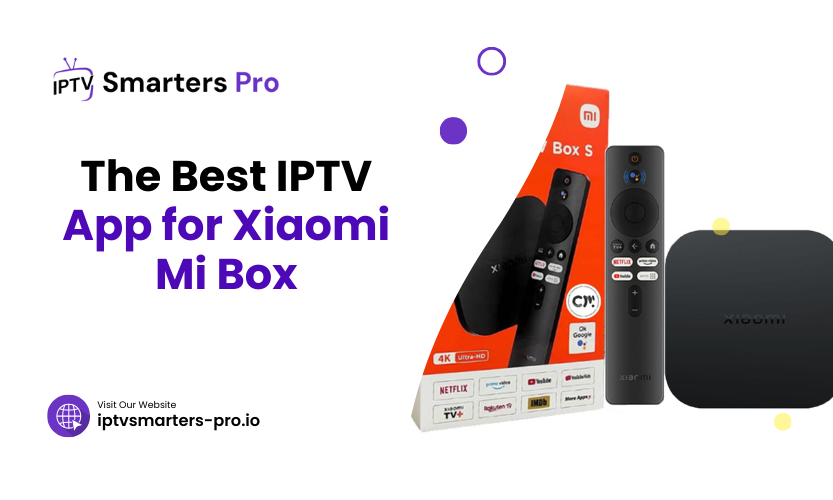
The Xiaomi Mi Box runs Android TV, which means you can install IPTV apps directly from the Google Play Store. This guide covers the five apps most commonly used on the Mi Box, what each app does well, and which works best with an IPTV Smarters Pro subscription.
Why Use IPTV Apps on Your Xiaomi Mi Box?
IPTV apps deliver live TV, on-demand content, and catch-up TV over your internet connection without a satellite dish or cable contract. The Mi Box’s Android TV platform runs most of the major IPTV players without sideloading. You’ll need a subscription with a server URL, username, and password (Xtream Codes) or an M3U playlist link from your provider.
What to Look for in an IPTV App for Mi Box
Before picking an app, check these:
- Playlist format support: Does it take Xtream Codes, M3U, or both?
- EPG support: Can it load the electronic program guide (the on-screen TV schedule)?
- External player support: Can you route tricky streams through VLC or MX Player?
- Multi-account: Can it hold more than one IPTV subscription at once?
- Price: Is the app free, or does it charge separately from your subscription?
Best IPTV Apps for Xiaomi Mi Box
1. TiviMate
TiviMate is the most polished IPTV player available on Android TV. The EPG loads fast, multi-view works reliably, and playlist management is clean. The free version covers the basics; the premium unlock (a one-time fee) adds playlist grouping, catch-up, and cloud backup. It handles both Xtream Codes and M3U playlists and works well on the Mi Box remote.
2. IPTV Smarters Pro
IPTV Smarters Pro supports both Xtream Codes API and M3U playlists. It includes parental controls, multi-profile support, and an in-built video player with external player routing. The app is free on Android TV. If you’re using an IPTV Smarters Pro subscription, this is the recommended player; your server URL, username, and password go straight into the Xtream Codes login screen.
3. Kodi
Kodi is a full media centre that handles IPTV through add-ons (typically PVR IPTV Simple Client). It can manage local files and IPTV streams in one place, which is useful if you also run a NAS or local media library. The setup takes longer than with a dedicated player, and the interface needs some configuration before it feels natural on a TV remote.
4. GSE Smart IPTV
GSE Smart IPTV handles multiple playlist formats, including M3U and JSON. EPG integration works, and the app supports multiple playlists side by side. It’s a solid choice if you run more than one IPTV service and want to keep them in one place. The interface is functional rather than polished.
5. Perfect Player
Perfect Player is lightweight and loads fast on lower-powered devices. It supports M3U playlists and XMLTV EPG, and it lets you adjust aspect ratios and buffer settings manually. The interface is plain but functional, and it tends to hold up well on slower connections where heavier apps can stall during channel switching.
Table 1: Comparison of Top IPTV Apps for Xiaomi Mi Box
| Feature | TiviMate | IPTV Smarters Pro | Kodi | GSE Smart IPTV | Perfect Player |
| Xtream Codes | Yes | Yes | Add-on required | No | No |
| M3U Playlist | Yes | Yes | Yes | Yes | Yes |
| Parental Controls | Yes | Yes | Add-on dependent | Yes | No |
| HD/4K Streaming | Yes | Yes | Yes | Yes | Yes |
| Free Version | Yes | Yes | Yes | Yes | Yes |
Setting Up IPTV Apps on Xiaomi Mi Box
The steps below apply to IPTV Smarters Pro. The process is similar on TiviMate and GSE.
- Install the app: Search for IPTV Smarters Pro in the Google Play Store on your Mi Box and install it.
- Open the app and add a playlist: Tap Add User, then choose Xtream Codes API.
- Enter your credentials: Paste the server URL, username, and password from the email your provider sent you.
- Wait for the EPG to load: The on-screen TV guide can take a few minutes on first load — that’s normal.
Frequently Asked Questions
1. Is IPTV legal to use on Xiaomi Mi Box?
IPTV is legal when used with a service that holds the rights to stream the content you’re watching. Check that your provider is licensed for the channels and regions you plan to use.
2. Can I use free IPTV apps on Xiaomi Mi Box?
Yes. All five apps listed above have a free version. Some features (catch-up, multiple playlists, cloud backup) require a paid unlock within the app, separate from your IPTV subscription.
3. What internet speed is required for IPTV streaming?
HD streams typically need around 10 Mbps of stable throughput. Smooth 4K needs around 25 Mbps. The key word is stable — a 100 Mbps connection that dips at peak hours will buffer more than a steady 25 Mbps line.
4. Do IPTV apps support subtitles?
IPTV Smarters Pro and TiviMate both support subtitles where the stream includes them. Subtitle availability depends on your provider and the specific channel, not just the app.
5. Can I use multiple IPTV apps on Xiaomi Mi Box?
Yes. You can install several apps and test your subscription in each one — useful if you’re trying to work out whether a buffering problem is app-side or provider-side.
Final Thoughts
TiviMate is the most polished player for everyday use on the Mi Box. IPTV Smarters Pro is the right choice if you’re running an IPTV Smarters Pro subscription; your credentials go straight in, and the app is built around the same API. Test your subscription with the free 24-hour trial at iptvsmarters-pro.io before committing. Stuck on setup? WhatsApp us on +44 7475 498002 — a real person will reply, usually within the hour.